Download
Download the JanusVR Unity exporter
-
Github Source
The JanusVR Unity Exporter is in constant development in the JanusVR Utils Github page: https://github.com/JamesMcCrae/janusvr_utils
You can find the exporter project source code in the folder "unity/Project/JanusExporter", or here
Importing The JanusVR Exporter from Git
1. Install git if you haven't
2. git clone https://github.com/JamesMcCrae/janusvr_utils
3. Copy the folder "unity/Project/JanusExporter/Assets/JanusExporter" to your project
-
Unity Package
Download the latest release of the JanusVR Exporter by going to the JanusVR Utils GitHub Releases page
Look for releases with the tag unity-*
Importing The JanusVR Exporter
1. Import the JanusVR Package by going on "Assets/Import Package/Custom Package"
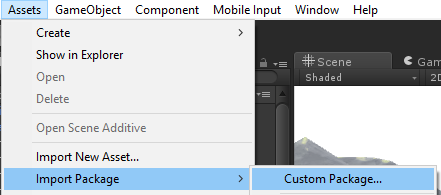
2. Select the package you downloaded
If you already had the JanusExporter installed, make sure to completely delete the JanusExporter folder in your project before importing the latest version.
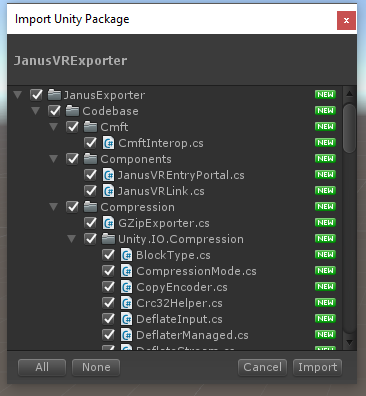
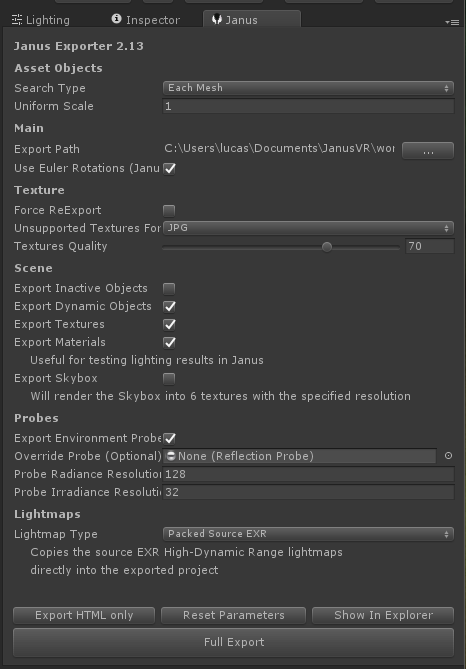
3. Open the exporter by hitting Window -> Janus VR Exporter
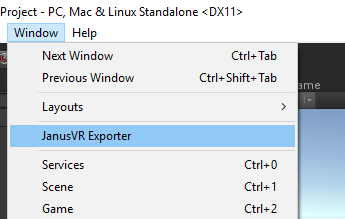
4. Dock the JanusVR Exporter window somewhere in your working area